NMFC Calculator: Get Your Freight Class Right in Under 5 Minutes (Free Tool)
Use our free NMFC calculator to find the right freight class fast. Measure, weigh, and verify your LTL shipment in under 5 minutes and avoid reclass fees.
Blake Brunk
COO, FreightCake
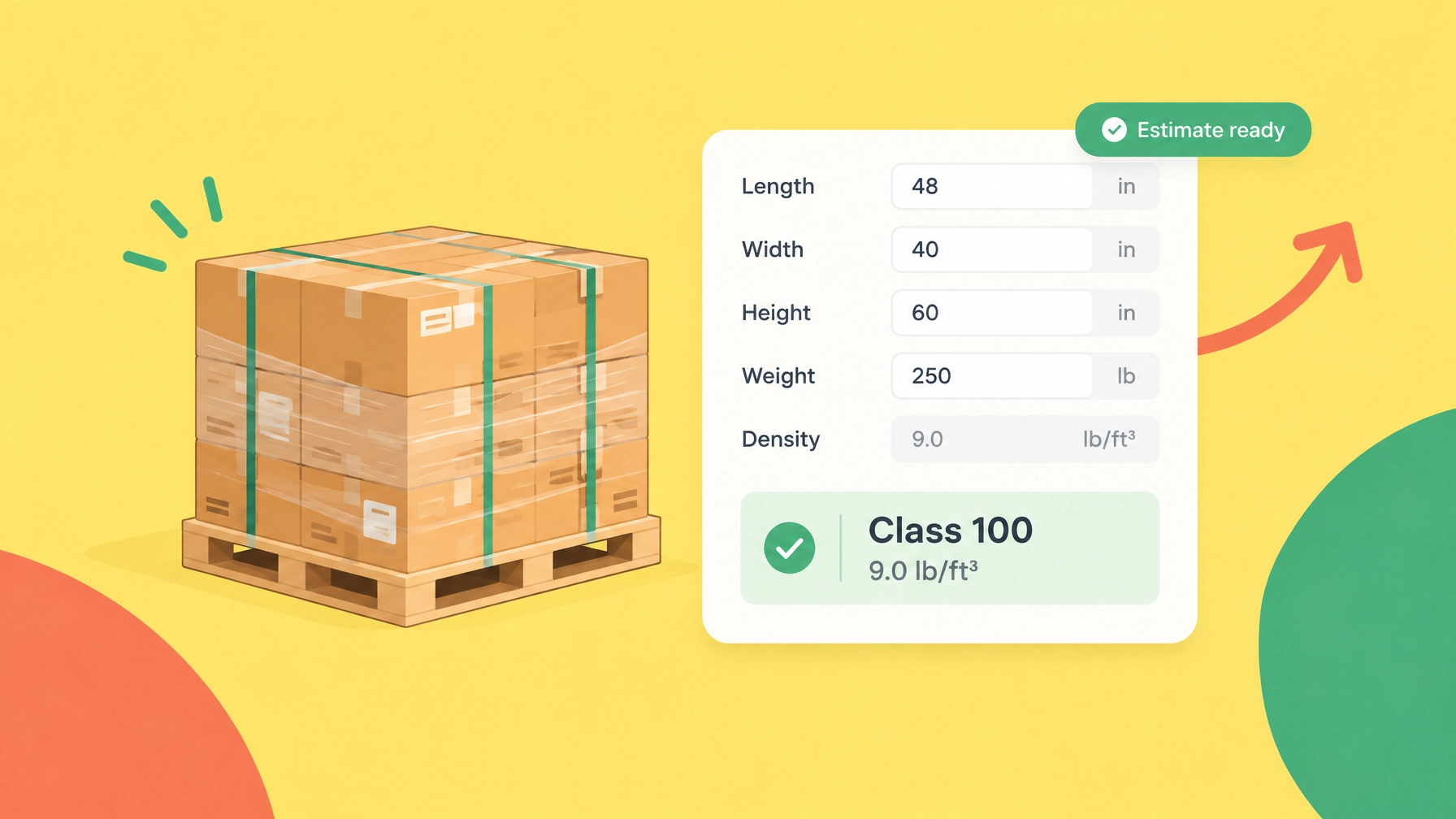
Freight class affects the rate you see when you quote an LTL shipment. Enter the wrong class, and the carrier may adjust the shipment after pickup. That can lead to a reclass fee, a reweigh fee, or a higher linehaul charge.
A freight class calculator gives you a fast density-based estimate:
- Measure the complete shipping unit.
- Weigh the freight, pallet, and packaging together.
- Calculate density in pounds per cubic foot.
- Check the applicable NMFC item and notes.
- Confirm the class before you quote or book.
Use FreightCake's free freight class calculator to estimate class from dimensions and weight. For a density-only result, use the density calculator.
What does an NMFC calculator do?
An NMFC calculator uses shipment dimensions and weight to estimate density-based freight class. It does not automatically determine the correct NMFC code for every commodity. The item depends on what you ship, how it is packaged, and whether it has special handling, stowability, or liability characteristics.
Freight class ranges from 50 to 500. In general:
- Dense, easy-to-handle freight receives a lower class.
- Light, bulky, fragile, or difficult-to-handle freight receives a higher class.
- The class is one rating factor, not the freight rate itself.
The National Motor Freight Traffic Association identifies four classification characteristics: density, handling, stowability, and liability. The governing NMFC item and notes still control the final classification.
Step 1: Measure the complete shipping unit
Measure the outside length, width, and height as the freight will be tendered. Include the pallet, skid, crate, stretch wrap, cartons, dunnage, and any overhang. Measure to the farthest outside point, not just the product.
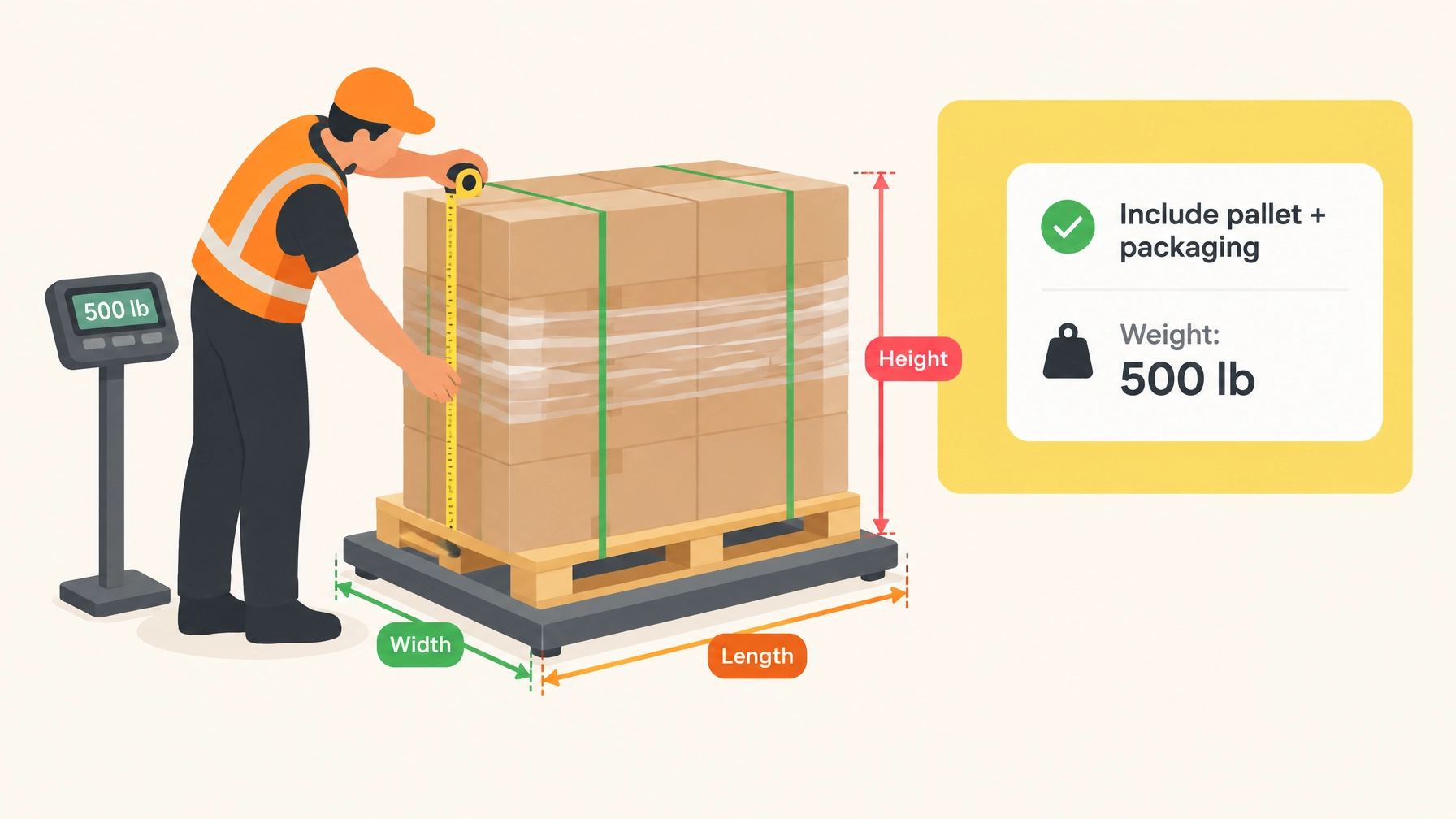
Record each handling unit separately when pallets have different dimensions. Round measurements up rather than down so a borderline dimension is not understated.
Step 2: Weigh the shipment as tendered
The total shipping-unit weight includes:
- Product
- Pallet or skid
- Packaging, crate, or container
- Dunnage and other materials shipped with the freight
Use an actual scale when possible and retain the scale ticket. Product specifications and purchase orders often omit pallet and packaging weight.
Step 3: Calculate freight density
Cubic feet = (Length × Width × Height) ÷ 1,728

Density = Total weight ÷ Cubic feet
Example
A 48-by-40-by-50-inch pallet weighing 500 pounds has 55.56 cubic feet of volume and a density of 9.0 pounds per cubic foot.
(48 × 40 × 50) ÷ 1,728 = 55.56 cubic feet
500 ÷ 55.56 = 9.0 pounds per cubic foot
Under the standard density scale, 9.0 pounds per cubic foot falls in the 8 to less than 10 bracket, an estimated Class 100. This is illustrative; the commodity item can specify a different class.
Step 4: Review the current density-based class scale
| Density in pounds per cubic foot | Class |
|---|---|
| Less than 1 | 400 |
| 1 to less than 2 | 300 |
| 2 to less than 4 | 250 |
| 4 to less than 6 | 175 |
| 6 to less than 8 | 125 |
| 8 to less than 10 | 100 |
| 10 to less than 12 | 92.5 |
| 12 to less than 15 | 85 |
| 15 to less than 22.5 | 70 |
| 22.5 to less than 30 | 65 |
| 30 to less than 35 | 60 |
| 35 to less than 50 | 55 |
| 50 or more | 50 |
These provisions took effect with NMFTA Docket 2025-1. The standard scale does not automatically apply to every shipment. Check the item, subprovision, packaging requirements, and notes.
Step 5: Check the NMFC code and commodity description
An NMFC code is different from a density calculation. Verify it by:
- Describing the commodity by its actual material and physical form.
- Finding the applicable item in the official ClassIT+ database.
- Reviewing the full item and subprovisions.
- Checking packaging, mixed-shipment, and exception notes.
- Confirming whether the class is density-based or specified.
- Adding the verified item, sub, and class to the BOL where required.
Avoid broad descriptions such as “parts” or “equipment” when a precise commodity description is available. A generic calculator should not replace the governing NMFC source or carrier requirements.
Common mistakes that trigger reclass and reweigh fees
Measuring the product instead of the pallet
The carrier handles the complete shipping unit, so pallet height and overhang count.
Leaving out packaging weight
Pallets, crates, and protective materials belong in total weight.
Using estimated dimensions
Record the dimensions at the dock before booking rather than reusing nominal dimensions.
Choosing a familiar class
Do not reuse a prior class without rechecking the commodity and current item.
Ignoring overhang
Measure to the farthest outside points. Freight that extends beyond the pallet changes the cube and can affect stowability.
Copying an old NMFC code
Review recurring freight after classification, product, or packaging changes.
Treating a reclass fee as only an administrative charge
An adjustment can include the freight-rate difference, fuel-related changes, and carrier-specific inspection charges. Request inspection details and compare the carrier's measurements, weight, item, and class with your records.
Check your class before you quote
Enter shipment details
→ Verify dimensions and weight
→ Calculate density
→ Review NMFC item and class
→ Generate BOL
→ Compare carrier rates
→ Confirm and book
FreightCake brings these steps into one workflow. Prepare the classification, then move into LTL quoting to compare available carrier options. The platform also supports BOL generation, tracking, alerts, and shipment management.
FreightCake AI
FreightCake AI can suggest supported NMFC codes and classes for review, check shipment details, draft a BOL, find shipment information, and prepare supported booking actions. Confirm the commodity, dimensions, weight, and applicable provision before submitting.
Frequently asked questions
Is an NMFC calculator the same as a freight class calculator?
The terms often describe the same density-estimation tool. Most do not identify every commodity-specific NMFC code.
What is the difference between an NMFC code and freight class?
The NMFC code identifies the commodity and governing rules. Freight class is the rating value, such as 70, 100, or 250.
Can I use a freight class calculator for every shipment?
Use it for a density estimate. Some commodities have a specified class or additional rules for handling, stowability, and liability.
How can I avoid a freight reclass fee?
Measure the complete unit, include packaging weight, use an accurate description, check the current item, and retain scale tickets and measurement records.
Get the class right before you book
Calculate freight class free → Compare LTL rates → Start shipping free
Less rework. Fewer surprises. One shipping workflow.